Virtual Staging Service Photographer Guide To Higher Fees

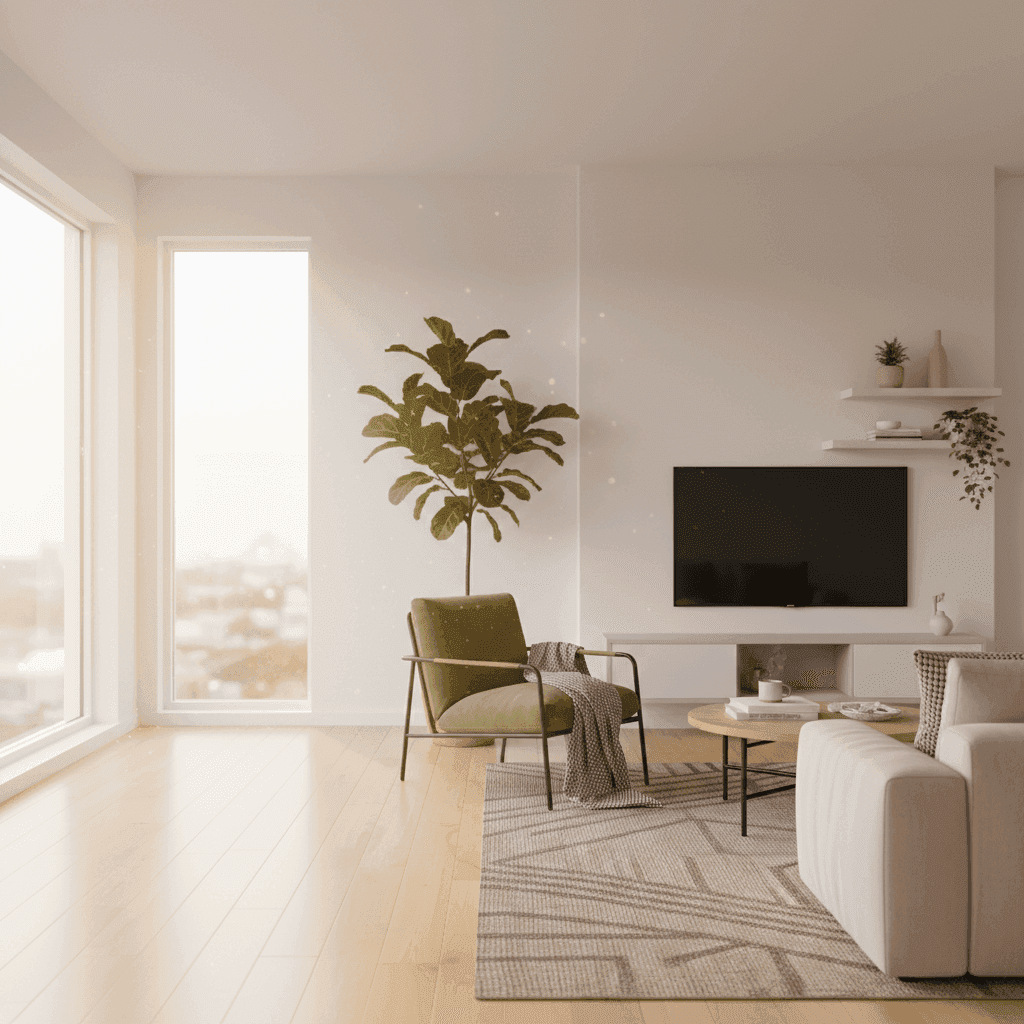
Virtual Staging Service Photographer: How to Boost Your Real Estate Photography Business
Your clients want the look of staged homes without paying for furniture, movers, or weeks of prep. The good news: as a virtual staging service photographer, you can deliver that look fast—and profitably.
Photo-only packages are commoditized and margins are tight. Agents expect more impact for their marketing dollars. They need stand out in a crowded market where buyers scroll past empty rooms without a second glance.
In this guide, you'll learn what virtual staging is, how to scope and deliver it, pricing and packaging for virtual staging revenue, and a step-by-step plan to sell it—plus low-effort upsells to increase average order value.
Here's why this matters now: 87% of buyers start online and listings with virtual staging get more attention on portals, driving clicks and inquiries. When your clients get better results, they come back for more shoots and refer other agents.
Sources:
What Is Virtual Staging and Why It Matters Now
Virtual staging digitally adds furnishings, decor, and lighting cues to help buyers visualize scale and function. Instead of hiring movers and renting furniture, agents get professionally staged photos in days, not weeks.
The market impact is clear: virtual staging correlates with more clicks, shares, and inquiries on listing portals. Buyers engage longer with staged images because they can picture themselves living in the space.
Staging (including virtual) can help listings move faster by creating emotional connection and imagination of use. When buyers see an empty room, they struggle to understand how it works. Add a sofa, coffee table, and warm lighting, and suddenly it becomes a cozy living room where they can imagine movie nights.
Sources:
What Virtual Staging Includes (and Doesn't)
Virtual staging includes staged stills with furniture and decor placed naturally in the room. You'll offer room-style options like modern, traditional, or family-friendly layouts. Each image needs proper disclosure (usually a small "virtually staged" watermark) and realistic rendering that matches the room's lighting and perspective.
What it doesn't include: major structural changes, adding windows, or completely changing room layouts. The goal is to enhance what's already there, not create fantasy spaces.
Where Virtual Staging Shines
Empty spaces are the obvious win, but virtual staging works best in specific situations. Awkward layouts become functional when you show how furniture fits. New builds feel lived-in with the right decor. Tenant-occupied homes with outdated or personal items get a neutral, market-ready look.
Vacation rentals, luxury condos, and suburban family homes all benefit, but the styling should match the target buyer. A downtown condo needs sleek, modern pieces while a family home in the suburbs calls for cozy, lived-in styling.
Buyer Psychology 101
Context, scale, and warmth increase engagement and perceived value. When buyers see an empty 12x12 room, they can't tell if it's cramped or spacious. Add a queen bed, nightstands, and proper lighting, and they understand it's a comfortable master bedroom.
Staged rooms also trigger emotional responses. A dining table set for dinner makes buyers think about family meals. A home office setup helps them imagine working from home. This emotional connection drives inquiries and showings.
Sources:
How a Virtual Staging Service Photographer Sets Up the Offer
When you offer virtual staging photographer services, realistic furniture placement, perspective, and lighting adjustments are key. Design consultations often help because agents know their target buyers better than you do. Ask about the neighborhood, price point, and typical buyer demographics.
Emerging AI tools enable basic staging workflows without deep editing skills. You can upload photos and generate furnished versions in minutes, though manual editing still gives you more control over quality and style.
Sources:
Necessary Skills for Offering Virtual Staging
Composition skills help you place furniture naturally. Lens correction removes wide-angle distortion so furniture looks proportional. Masking lets you blend new elements seamlessly. Shadow work makes furniture look grounded, not floating.
Color consistency matters too. The furniture should match the room's lighting temperature and intensity. If the room has warm afternoon light, cool-toned furniture will look fake.
Style matching connects to target buyers. Modern minimalist works for young professionals buying condos. Cozy traditional appeals to families looking at suburban homes. Keep style boards handy for quick reference.
Offer Virtual Staging Photographer: Packaging and Client Education
Present virtual staging in clear tiers. Basic packages might include 3-5 rooms with standard turnaround. Premium adds rush delivery and multiple style options. Luxury includes custom consultations and unlimited revisions.
Set expectations upfront. Specify which rooms work best for staging (living areas, bedrooms, dining rooms). Explain disclosure requirements. Share style references so clients know what to expect.
Collect style preferences during intake. Show examples of modern vs. traditional vs. transitional staging. Ask about target buyer demographics and price points. This information guides your furniture selection and overall aesthetic.
Add Virtual Staging to Services: Workflow and Delivery
Your workflow starts with intake: room list, style preferences, and special requests. During production, stage one room at a time, maintaining consistent lighting and perspective across the set.
Build in proofing rounds. Most clients need minor adjustments rather than complete re-dos. Export final images in web-ready and print-ready formats. Use clear file naming that includes "VS" or "staged" markers for MLS compliance.
Delivery should be fast and organized. Upload to a client portal or shared drive with separate folders for staged and unstaged versions. Include a simple guide about disclosure requirements and best practices for using staged images in marketing.
Build vs. Buy: In‑House Editing, AI Platforms, or Outsourcing
In-house editing gives you complete control but requires time investment. You'll need furniture libraries, lighting skills, and design sense. Expect 30-60 minutes per room for high-quality results.
AI platforms offer speed and consistency. Upload photos and get staged versions in minutes. Quality varies by platform, and you have less control over furniture selection and placement. Good for high-volume, quick-turn projects.
Outsourcing to specialist retouchers balances quality and efficiency. You focus on shooting and client relations while experts handle the staging. Margins are lower, but you can scale faster without building editing skills.
Pricing, Packaging, and Virtual Staging Revenue Models
Virtual staging avoids furniture rental and movers, enabling faster turnaround at a fraction of the cost of physical staging. Physical staging can cost $2,000-5,000 per home and take weeks to coordinate. Virtual staging delivers similar visual impact for hundreds, not thousands.
Sources:
Virtual Staging Revenue: Pricing Models That Work
Per-image pricing works for simple setups: $25-75 per staged room depending on complexity and turnaround time. Room bundles encourage larger orders: 3 rooms for $150, 5 rooms for $220.
Turnaround-based tiers let you charge premiums for speed. Standard delivery (3-5 business days) at base price. Rush delivery (24-48 hours) adds 50-75% premium. Same-day delivery doubles the price.
Set clear proofing limits: one round of revisions included, additional changes at hourly rates. Rush fees apply to expedited changes too. This prevents endless tweaking and protects your margins.
The Economics of Virtual Staging
Sample margin math for in-house production: 45 minutes per room at $50 per room equals $67 per hour. Subtract software costs, equipment amortization, and overhead for net margins around $45-55 per hour.
Outsourcing changes the math: pay $15-25 per room to specialists, charge $40-60 to clients. Lower hourly rate but higher volume potential since you're not doing the editing work.
AI platforms typically cost $5-15 per image. Charge $30-50 per room for healthy margins with minimal time investment. Best for photographers who want to test virtual staging demand before investing in skills or outsourcing relationships.
Photographer Virtual Staging Upsell: Add-ons Agents Actually Buy
Twilight conversions turn day shots into dramatic evening images. Day-to-dusk adds warm window glows and landscape lighting. Object removal cleans up clutter or tenant belongings. Each upsell adds $10-25 per image to your base package.
Alternate styles expand your market. Offer modern and traditional staging for the same room, letting agents choose based on buyer feedback. Room repurposing helps with flexible spaces: stage a bonus room as both office and bedroom options.
Turn staged photo sets into cinematic short-form videos as an add-on. With Peachgum, you can create Instagram/TikTok/Shorts-ready reels from your listing photos in minutes—no videographer fee required.
Marketing and Sales Playbook for a Virtual Staging Service Photographer
Listings with virtual staging earn more clicks and inquiries—use this stat in your sales deck and social media captions. Agents want proof that upgraded packages deliver better results for their sellers.
Staged visuals help buyers connect emotionally, supporting premium positioning in your portfolio. When your work generates more buyer interest, agents see the value and book repeat projects.
Sources:
Before/After Portfolio That Sells the Upgrade
Build carousel posts showing empty vs. staged comparisons. Use split-screen formats or simple before/after slides. Include variety: living rooms, bedrooms, dining areas in different styles (modern, traditional, transitional).
Add overlay text highlighting benefits: "Staged listings get 73% more inquiries" or "From empty to inviting in 48 hours." Include turnaround times and package prices to educate while you showcase.
Case study slides work well for LinkedIn and email outreach. Show the empty room, staged result, and outcome metrics when available (days on market, final sale price, showing activity).
Social Media Distribution: Instagram, TikTok, and YouTube Shorts
Repurpose staged room sets into reels and shorts with engaging hooks: "Which style sells this room best?" or "Empty vs. staged - which gets more showings?"
Film quick time-lapse sequences showing your editing process. Post split-screen reveals with trending audio. Create "room makeover" content that follows staging transformations step by step.
Use Peachgum to convert your staged photos into ready-to-post short videos with effects and soundtracks. This eliminates the need to hire videographers while creating engaging content that showcases your virtual staging skills.
Outreach Templates for Agents and Brokerages
Cold email should lead with research-backed benefits: "Listings with professional staging get 87% more online views than empty rooms. Here's how I help agents like you generate more buyer interest without the hassle of traditional staging."
DM templates for Instagram: "Love your recent listing photos! Have you tried virtual staging? I help agents increase showing requests by 40% with staged images that cost less than one month of physical staging."
Flyer copy for brokerage visits: "Turn empty rooms into buyer magnets. Virtual staging packages starting at $150 for 3 rooms, 48-hour turnaround. Perfect for investor flips, new construction, and vacant homes."
Success Stories: How Photographers Win with Virtual Staging
Frame outcomes with data on increased clicks, inquiries, and faster sales due to staging impact. When photographers can show agents specific results, they build trust and command higher prices for their services.
Sources:
Success Story 1: From Photo-Only to Staging Packages
Sarah, a photographer in suburban Atlanta, added a 3-room staging bundle to her services alongside a rush delivery tier. Previously averaging $300 per shoot for photos only, she now averages $550 with staging add-ons.
The key was positioning staging as standard for empty homes rather than an optional upgrade. Her intake form asks "How many empty rooms need staging?" instead of "Would you like to add staging?" This subtle shift doubled her staging attachment rate.
Within three months, 60% of her clients were booking staging services. The rush tier (24-hour delivery for 75% premium) became especially popular with agents facing weekend open house deadlines.
Success Story 2: Style-Based Differentiation in Condos vs. Family Homes
Mark specializes in downtown condos and suburban family homes, using different staging approaches for each market. Modern, minimalist staging for condos attracts young professionals. Cozy, family-friendly staging for suburban homes appeals to growing families.
His condo packages emphasize clean lines and urban sophistication. Suburban packages focus on warmth and functionality—play areas, family dining setups, home offices for remote work.
This style specialization increased his agent rebook rate to 85%. Agents know exactly what to expect and trust his staging choices to match their target buyers.
Bonus Win: Social Shorts as the Tie-Breaker
Jennifer packages 15-30 second short videos from staged images using Peachgum, helping agents boost social media engagement and win more listing appointments.
When competing against other photographers, her "social media ready" package becomes the deciding factor. Agents get professional photos plus ready-to-post content for Instagram Reels and TikTok—no additional videographer required.
This add-on increased her average order value by $150 per shoot while taking less than 10 minutes of additional work per listing.
Getting Started Checklist and Next Steps for a Virtual Staging Service Photographer
AI platforms can reduce technical barriers to entry for simple staging tasks. You don't need advanced Photoshop skills to start offering basic virtual staging services, especially with user-friendly upload-and-generate tools.
Virtual staging's cost and time efficiency supports faster delivery promises in your offers. While physical staging takes weeks to coordinate, virtual staging can be completed in hours or days, giving you a competitive advantage.
Sources:
10-Step Launch Plan
Define your target client: luxury agents, investor-focused agents, or general residential? Pick 2-3 staging styles that match your market: modern, traditional, transitional. Set package tiers: basic 3-room bundle, premium 5-room with rush option.
Create sample sets using your own photos or practice with free stock images. Finalize turnaround times: standard 3-5 days, rush 24-48 hours. Build a simple order form asking for room list, style preferences, and deadline.
Prepare disclosure language and delivery specifications. Create a price list with clear add-on options. Build an outreach list of target agents and brokerages. Plan weekly social media posting schedule showcasing before/after examples.
Portfolio and Social Launch in One Week
Build 5 strong before/after examples covering living rooms, bedrooms, and dining areas. Schedule platform-native posts across Instagram, Facebook, and LinkedIn. Include carousel captions with research-backed hooks like "87% of buyers start online" and "staged listings sell faster."
Post consistently for visibility: Monday room reveals, Wednesday tips, Friday before/after features. Use local hashtags and tag relevant agents to increase reach.
Include one short-form video per listing in your launch bundle using Peachgum to demonstrate how agents can promote staged images across Reels, TikTok, and YouTube Shorts.
Measurement and Optimization
Track inquiry sources: social media, referrals, cold outreach, website. Monitor conversion rates by package tier to identify your sweet spot pricing. Measure add-on take rates—which upsells do agents actually buy?
Calculate average order value monthly and adjust packages accordingly. If most clients upgrade to rush delivery, consider making it standard and raising base prices. If certain styles get more requests, expand those options.
Iterate based on feedback. If agents consistently request changes to specific furniture pieces, update your default selections. If turnaround times become competitive issues, invest in faster workflows or additional team members.
Common Questions About Virtual Staging for Real Estate Photographers
Time and Resources Required
Typical time per image ranges from 30-60 minutes for manual editing, depending on room complexity and furniture selection. Batch processing helps: stage similar rooms (all bedrooms) together for consistent style and faster workflow.
Set proofing limits upfront: one round of revisions included, additional changes at hourly rates. This prevents endless tweaking while maintaining client satisfaction.
Necessary Equipment and Software Suggestions
Calibrated displays ensure accurate color representation. Wide-angle lenses help capture rooms fully for easier furniture placement. For editing, Adobe Photoshop remains the standard, but AI tools like those mentioned provide upload-and-generate options for simpler workflows.
AI platforms reduce the technical learning curve, letting you focus on client service and business development while automated systems handle the actual staging process.
Sources:
Common Difficulties and How to Overcome Them
Perspective mismatches make furniture look unnatural. Use lens correction tools and match furniture angles to room perspective. Lighting inconsistencies create fake-looking results. Adjust furniture shadows and highlights to match room lighting direction and intensity.
Style misalignment frustrates clients. Request style boards upfront showing preferred furniture types, color palettes, and room layouts. Keep reference folders organized by style (modern, traditional, transitional) for quick access during editing.
Ethics and MLS Disclosures
Label virtually staged images clearly to avoid misrepresentation. Most MLSs require disclosure language like "virtually staged" or "digitally furnished." Include watermarks or overlay text when possible.
Provide unstaged versions upon request. Some buyers want to see actual room conditions before visiting. Maintaining both versions protects you and your clients from potential issues.
Pricing Benchmarks and Packages
Set per-image pricing based on your production costs and market rates: $25-75 per room depending on complexity. Rush fees add 50-100% premium for 24-48 hour delivery.
Room bundles encourage larger orders: 3 rooms for $150, 5 rooms for $220, 8+ rooms at volume discounts. Include one revision round in base pricing, charge hourly for additional changes.
Your Virtual Staging Business Starts Today
Virtual staging opens a clear path to higher-margin packages, allows you to differentiate from photo-only competitors, and helps agents drive online engagement that leads to showings and offers. The market demand is proven—buyers engage more with staged listings and agents need tools that deliver results.
Start with a 3-room bundle, add a rush tier for weekend deadlines, and include a short-form video upsell in every quote. This combination addresses the most common agent needs while maximizing your revenue per shoot.
Turn your staged photo sets into ready-to-post social videos in minutes with Peachgum—a faster, cheaper alternative to hiring a videographer that helps your clients get more views and helps you increase average order value. Your next listing could be the first step toward doubling your photography income.
Sources:


