How to Add Music to Real Estate Video With Captions

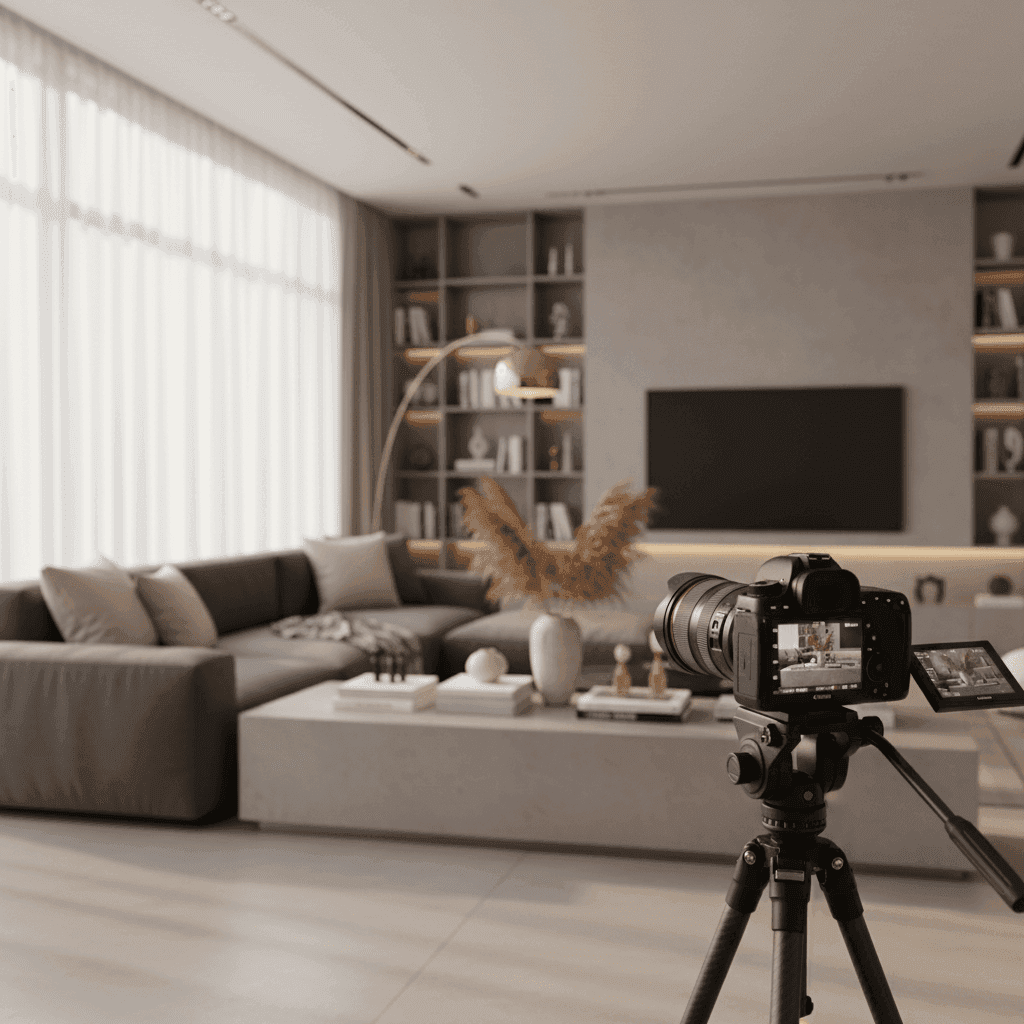
How to Add Music to Real Estate Video (and Captions): A Practical Guide for Agents
Music is the fastest way to elevate a listing video. It instantly sets the mood, boosts watch time, and helps buyers feel the property before they even step inside.
But here's the problem: Many agents aren't sure how to pick the right track, avoid copyright issues, or add captions that keep viewers engaged during silent autoplay on social media.
In this guide, you'll learn exactly how to add music to real estate video safely and effectively. We'll cover how to pick the right real estate video music for each property type, use royalty free music real estate sources without legal headaches, and create video captions for realtors that drive clarity and conversions.
The key is matching your soundtrack to your property's vibe to create the desired atmosphere, as real estate video experts recommend. When done right, this creates an emotional connection that helps buyers visualize themselves living in the space.
If you want instant polish without editing skills, Peachgum turns listing photos into cinematic short-form videos with a pre-built soundtrack in minutes. No technical expertise required.
Why Music Matters in Real Estate Video
Music acts as an emotional lever in your listing videos. The right track shapes the entire mood, whether you're showcasing a luxury penthouse, cozy suburban home, or modern downtown loft.
Think about it: upbeat electronic music makes a city condo feel vibrant and energetic. Acoustic guitar creates warmth for a family home. Piano and strings add elegance to luxury properties.
Music also influences pacing and flow. The tempo guides your cuts and room transitions. A slower BPM works perfectly for expansive luxury shots with longer pans. Faster tempos match quick cuts that showcase urban spaces with energy.
Different video formats call for different musical approaches:
- Short-form social teasers need immediate hooks in the first 3 seconds
- 60-90 second listing reels require tracks that maintain engagement throughout
- Neighborhood highlights benefit from uplifting, community-focused sounds
- Team brand videos work best with consistent, recognizable musical themes
The practical outcomes speak for themselves. Videos with well-matched music and visuals see better retention rates, more shares, and create stronger brand recognition. Viewers remember how a property made them feel, and music is the fastest way to create that emotional connection.
Sources:
How to Add Music to Real Estate Video: Choosing the Right Real Estate Video Music
Start by considering your property and target audience. Modern beats work perfectly for city condos targeting young professionals. Acoustic and organic sounds fit countryside estates appealing to families seeking space and tranquility. The music should match the property's personality to create the right atmosphere.
Pacing and tempo matter more than most agents realize. Align the BPM (beats per minute) with your walk-through speed and shot duration. Slower tempos complement expansive luxury pans that let viewers soak in high-end finishes. Faster BPMs energize urban spaces and create excitement around modern amenities.
Genre and instrumentation send specific signals to viewers:
- Piano and strings convey elegance and luxury
- Acoustic guitar creates warmth and family appeal
- Synthesizers and electronic elements suggest modern minimalism
- Lo-fi beats appeal to younger, urban-focused buyers
Platform considerations are crucial. Short-form content on Reels and TikTok demands strong hooks within the first 3 seconds. Look for tracks with loop-friendly intros that grab attention immediately.
Legal and brand safety cannot be ignored. "Royalty-free" means you pay for a license to use the track under specified terms, it's not free music. "Copyright-free" is rare and often lower quality. Never use unlicensed popular songs in business videos, as platforms will flag or remove your content.
Professional creators consistently use subscription libraries like those found on platforms such as Artlist for reliable, licensable tracks in their editing workflows. Curated real estate background playlists offer upbeat electro, laid-back beats, and hopeful acoustic options specifically designed for property marketing.
Peachgum eliminates the guesswork with its built-in soundtrack library and visual effects that automatically align track and aesthetic without manual searching.
Sources:
Real Estate Video Music: Tempo, Genre, and Instrumentation Explained
Tempo directly affects how viewers perceive room-to-room transitions. A 70-80 BPM track creates a relaxed, contemplative mood perfect for luxury homes where buyers need time to appreciate details. 100-120 BPM energizes the viewing experience and works well for modern condos and starter homes.
Different instruments trigger specific emotional responses:
- Piano suggests luxury and sophistication
- Acoustic guitar feels cozy and family-friendly
- Synth pads create a modern, minimalist atmosphere
- Lo-fi beats appeal to younger, urban demographics
To test-fit a track, play candidate songs over a 10-15 second highlight reel of your best shots. The music should enhance the visuals, not compete with them. If you find yourself focusing more on the music than the property, try a more subtle option.
Royalty Free Music Real Estate: Top Sources and Selection Tips
Artlist stands out as a go-to platform for high-quality tracks with annual subscriptions. Many YouTubers and filmmakers rely on Artlist because it offers professional-grade music with clear licensing terms. Filter by mood and genre to find tracks that match your listing's tone.
Epidemic Sound provides curated playlists specifically designed for real estate background music. Their real estate section includes upbeat electro tracks for modern properties, laid-back beats for relaxed showings, and hopeful acoustic options for family homes. The platform makes discovery easy by organizing content by theme and mood.
When selecting tracks, follow this process:
- Filter options by mood and BPM range
- Shortlist 3-5 tracks that match your property type
- A/B test each track against your rough cut
- Choose the one that best enhances your key selling points
Sources:
How to Add Music to Real Estate Video: Step-by-Step Workflow
Before you start editing, plan your cut around the music. Choose a focal "hero" sequence like the front elevation, gourmet kitchen, or primary suite to align with musical peaks or crescendos. This creates natural emphasis on your property's best features.
Build a simple storyboard that works with most properties:
- Exterior intro establishing the home
- Main living areas showcasing lifestyle
- Kitchen highlighting functionality
- Bedrooms and bathrooms showing comfort
- Special amenities or outdoor spaces
- Closing shot that reinforces the property's appeal
When adding and mixing music, import your chosen track first and trim it to match your video length. Set the intro at a natural bar or beat to avoid jarring starts. Balance audio levels so any dialogue or voiceover remains crystal clear. Duck background music under narration by lowering the music volume when someone is speaking.
Time your visual transitions to hit musical beats for a polished feel. Most editing software shows audio waveforms that make this easier to achieve.
For mobile editing, apps like CapCut and VN offer user-friendly workflows. Import your clips and photos, add your licensed track, adjust volume levels, and export in vertical 9:16 format for Reels, TikTok, and YouTube Shorts.
Desktop workflows follow similar principles across most editing software. Place music on a dedicated audio track, add volume keyframes for smooth transitions, include fade-ins and fade-outs, and align your cuts to the beat grid when possible.
Export settings matter for platform success. Use vertical 1080x1920 resolution for social media, maintain 24-30 fps for smooth playback, and choose AAC audio compression. Keep background music comfortably under any narration to ensure key information comes through clearly.
Many creators rely on subscription libraries that provide consistent, licensable tracks for their editing workflows. Real estate-focused playlists help maintain consistent tone across different property scenes and listing types.
Peachgum eliminates this entire manual process. Simply upload listing photos, pick a visual effect and soundtrack combination, and receive a finished short-form video in minutes. The platform exports ready-to-post vertical videos optimized for Instagram, TikTok, and YouTube Shorts automatically.
Sources:
Incorporating Captions for Listing Videos
Captions serve multiple critical functions in real estate video marketing. They ensure accessibility for all viewers and create ADA-friendly content that serves hearing-impaired audiences. On social media platforms, captions become essential during silent autoplay, carrying your key selling points when audio isn't available.
Well-crafted captions also improve comprehension of important details like square footage, bedroom and bathroom counts, HOA fees, and recent upgrades. This improved clarity can boost SEO performance and keyword visibility within social media platforms.
Best practices for video captions for realtors include keeping text lines short and using sentence case rather than all caps, which can appear aggressive. Focus captions on benefits rather than just features. Instead of "3BR/2BA," try "South-facing natural light" or "Chef's kitchen island."
Maintain consistent branded styling across all your videos. Choose readable fonts, contrasting colors, and strategic placement that doesn't obstruct important visual elements. Pair captions with on-screen highlights like arrows or zoom effects for added emphasis on key features.
Implementation options vary by platform and technical comfort level. Instagram Reels, TikTok, and YouTube Shorts offer auto-caption features that you should review and correct for accuracy. For more control, export SRT caption files from specialized tools and upload them to platforms like YouTube that support them.
You can also "burn in" captions directly to your video files for universal visibility across all platforms. Position captions in top or bottom safe zones to avoid interface overlays, and always test your videos against actual platform previews before publishing.
Curated background playlists provide consistent audio beds that pair well with on-screen captions, ensuring both audio and visual elements work together for maximum clarity and impact.
Sources:
Example Scenarios: Matching Track and Edit to Property Type
Understanding how music choices affect different property presentations helps you make better creative decisions for each listing.
For urban loft listings, choose modern electronic or lo-fi tracks with faster BPMs. Use quick cuts that match the energetic pace, and write concise captions like "Exposed brick • 12' ceilings • Walk to transit." This combination creates excitement around city living and modern amenities. Curated modern playlists work perfectly for achieving this urban vibe.
Luxury suburban homes call for a different approach entirely. Select cinematic piano and string arrangements with slower BPMs that allow for longer, more contemplative pans. Your captions should emphasize premium features: "Chef's kitchen • 0.5-acre lot • Outdoor living." The pacing gives viewers time to appreciate high-end finishes and spacious layouts. Consider orchestral and cinematic tracks from libraries that creators trust for this elevated feel.
Country acreage properties work best with acoustic and organic sounds that complement natural settings. Choose nature-friendly tones and instruments that don't compete with rural tranquility. Caption focus should highlight unique rural benefits: "Equestrian-ready • Creek frontage • Workshop." The soundtrack should match the property's personality and peaceful setting.
Each scenario demonstrates how the right combination of music, pacing, and captions creates a cohesive viewing experience that helps potential buyers immediately understand the lifestyle each property offers.
Sources:
Epidemic Sound, YouTube, Ruum Media
Common Questions About Real Estate Video Music and Licensing
Many agents wonder about using popular songs in their listing videos. Generally, this approach is unsafe for business use due to complex licensing requirements. Popular music often requires expensive sync licenses that aren't practical for individual real estate agents. Instead, stick to licensed libraries or platform-cleared sounds that offer clear usage rights.
The term "royalty-free" often confuses agents who assume it means free music. Actually, royalty-free means you pay a one-time fee or subscription for a license to use the track under specified terms. You're not paying ongoing royalties to the artist, but you're still paying for legal usage rights.
Platform differences matter less than many agents think. The same track can work across Reels, TikTok, and YouTube Shorts. However, prioritize strong intros for Reels and TikTok since these platforms emphasize immediate engagement. Ensure your chosen track loops naturally if viewers replay your content.
Background music volume requires careful attention. Keep instrumental tracks clearly under any narration or voiceover if you use them. Test your audio on phone speakers both with and without earbuds, since many viewers watch on mobile devices in various environments.
When platforms flag your audio, swap to a licensed track from a reputable library and re-upload your content. Always maintain proof of your license or subscription for potential disputes.
Captions significantly impact video performance by increasing comprehension during silent autoplay and helping viewers retain key property details. Pair concise captions with on-screen visuals for maximum effectiveness.
Successful agents typically use subscription libraries for reliable access to professional-grade tracks, while curated real estate playlists streamline the discovery process and ensure appropriate tone matching for property marketing.
Sources:
YouTube, Epidemic Sound, Ruum Media
Why This Approach Works for Every Property Type
Successfully learning how to add music to real estate video comes down to three key elements: choosing tracks that match your property's personality, integrating them cleanly with proper audio levels, and using captions for both clarity and accessibility.
The most effective agents build a simple template that works across different listings. Start with a strong hook shot, add a matched track that enhances rather than distracts, and include concise captions that highlight key benefits. This reusable framework saves time while ensuring consistent quality across your video marketing efforts.
Research consistently shows that matching track to property personality is a proven creative strategy, while curated real estate playlists streamline the discovery process and help maintain appropriate tone throughout your marketing content.
This systematic approach transforms ordinary listing presentations into engaging content that helps buyers envision their future lifestyle in each property. The combination of appropriate music, professional pacing, and clear captions creates viewing experiences that stand out in crowded social media feeds.
Peachgum offers a faster, more affordable alternative to hiring videographers. The platform generates cinematic, soundtracked short-form listing videos from photos in minutes, handling all the technical details while you focus on serving clients.
Sources:
Start Creating Professional Listing Videos Today
Ready to transform your listing presentations with professional-quality music and captions? The techniques covered in this guide work for any property type and experience level.
Begin by exploring licensed libraries for safe, legal soundtracks. Popular platforms used by creators include subscription services that offer reliable access to professional-grade tracks, while curated real estate playlists help you find appropriate options quickly.
For the fastest results without technical complexity, Peachgum eliminates the learning curve entirely. Start a free trial and turn your next listing photos into ready-to-post Reels, TikToks, or YouTube Shorts with built-in professional soundtracks. No editing skills required, and you'll have engaging content ready to publish in minutes.
Sources:


