Optimize Video for Zillow, Realtor.com, and MLS Guide

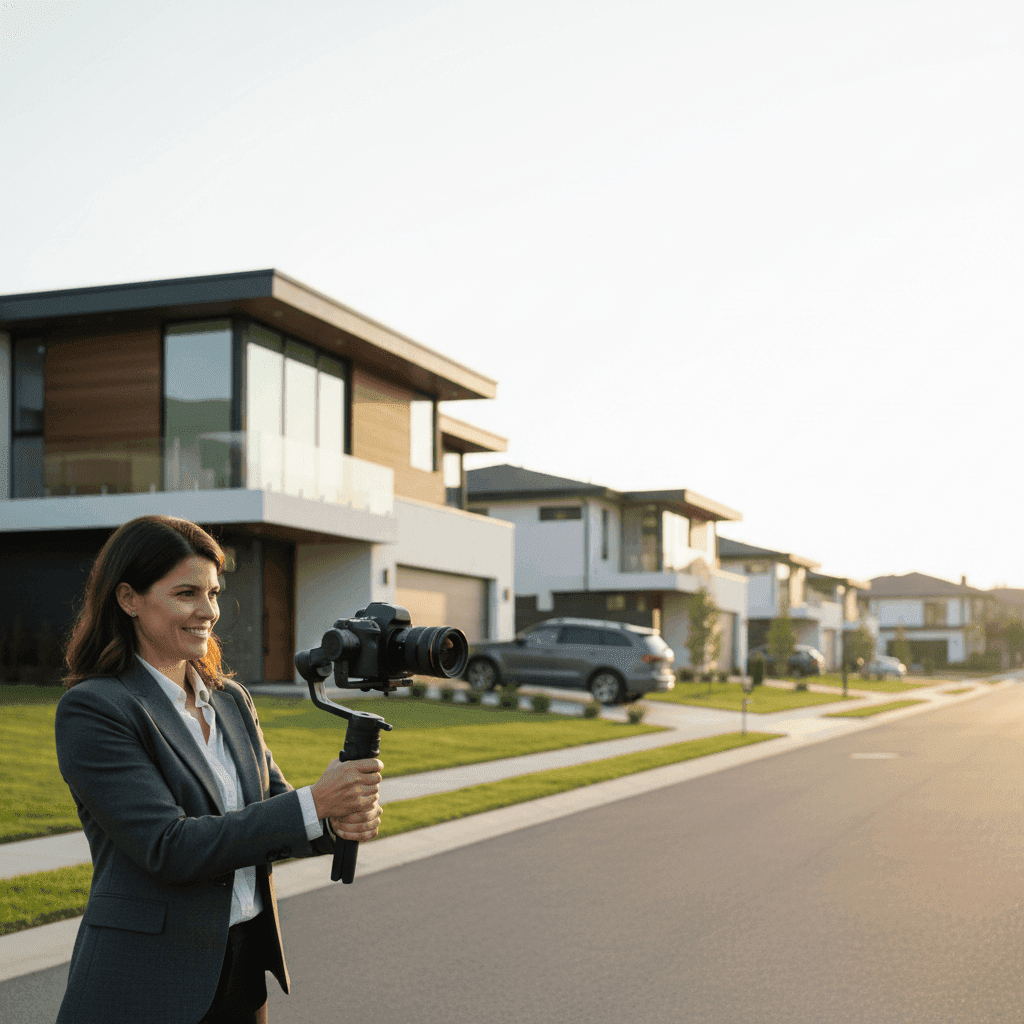
Optimize Video on Zillow, Realtor.com, and MLS: How to Optimize Video Zillow Realtor.com MLS for Maximum Visibility
Video is the new curb appeal. Listings with video draw more eyeballs, more saves, and more showing requests than photo-only posts. But here's the catch: each portal has its own rules, formats, and best practices. What works perfectly on Zillow might underperform on your MLS, and Realtor.com has its own optimization quirks.
Video content increases listing engagement by up to 80% compared to photo-only posts, with homes featuring videos receiving significantly more inquiries. This dramatic difference isn't just about pretty visuals. It's about matching each platform's algorithm preferences and user behavior patterns.
This guide shows you how to optimize video zillow realtor.com mls without guesswork. You'll get a practical, step-by-step playbook covering everything from video creation to upload specifications to performance tracking. No more wondering why your videos aren't getting traction or dealing with frustrating approval delays.
Sources:
Understand the Power of Video Listings: Why You Must Optimize Video Zillow Realtor.com MLS
Video isn't just a nice-to-have anymore. It's become the primary way buyers evaluate properties before scheduling showings. When you optimize video on listing platforms correctly, you're not just improving engagement metrics. You're fundamentally changing how your listings compete in crowded markets.
Video listings on MLS and Zillow platforms improve property discoverability through enhanced SEO ranking compared to text and static image listings. Search algorithms on these platforms heavily weight multimedia content, pushing video-rich listings higher in search results. This means more organic visibility without paying for premium placement.
The metrics that matter most are play rate, watch rate, and completion rate. These numbers tell you if your message matches market demand. A low play rate suggests your thumbnail or title needs work. Poor watch rates indicate your opening seconds aren't compelling enough. Low completion rates mean your video structure needs tightening.
Video supports your entire sales funnel. At the awareness stage, it helps buyers discover your listings through improved portal SEO. During consideration, it gives buyers the detailed property tour they need to shortlist homes. At conversion, it builds trust and urgency that drives showing requests and offers.
The key is maintaining consistent branding and compliance across all platforms. Each portal syndicates differently, and rule violations can kill your distribution. When you get this right, one well-optimized video works harder across multiple touchpoints.
Video performance metrics such as play rate and watch rate serve as critical diagnostic indicators for optimizing messaging and increasing conversion within real estate sales funnels. Smart agents track these numbers weekly and adjust their video strategy based on what the data reveals.
Tools like Peachgum help agents create polished videos from listing photos in minutes. This solves the biggest barrier for most agents: creating consistent video output across platforms without hiring expensive videographers for every listing.
Sources:
YouTube: Real estate video follow-up
Listing Video Zillow Tips: A Practical Walkthrough
Why Zillow Video Is Crucial
Zillow processes over 200 million monthly visits, making it the largest real estate search portal in North America. But scale alone doesn't guarantee success. Zillow's algorithm prioritizes listings with complete media packages, and video is the strongest signal of listing quality.
Zillow Agent Profiles that include video content, property history, and client reviews build stronger client rapport and enable agents to leverage team visibility on the platform. When buyers see comprehensive agent profiles paired with video-rich listings, trust increases dramatically. This combination leads to more direct inquiries and fewer tire-kickers.
Videos on Zillow increase save rates, share rates, and inquiry likelihood. The platform's mobile-first user base expects rich media experiences. Static photos feel outdated compared to smooth video walkthroughs that help buyers visualize living in the space.
Sources:
Basics of Making a Zillow Video
Your Zillow video needs specific narrative beats to perform well. Start with a compelling curb appeal shot that establishes the property's street presence. Move through the main living spaces in logical order: entry, living areas, kitchen, primary bedroom, standout features, and exterior spaces.
Keep videos tight and focused. Aim for 60-90 seconds maximum. Prioritize the top 6-10 scenes that showcase the property's strongest selling points. Zillow users scroll quickly, so every second must earn attention.
Audio matters more than most agents realize. Use tasteful background music that matches the property's vibe. Add optional on-screen text for key features, since many users browse with sound off. Keep text minimal and readable on mobile screens.
Steady pacing prevents viewer dropoff. Avoid quick cuts or shaky camera work. Each scene should last 5-8 seconds, giving viewers time to process the space before moving on.
Peachgum simplifies this entire process by turning your existing listing photos into cinematic Zillow-ready videos. No videography skills required, and no need to coordinate additional property visits for video shoots.
Sources:
Optimize Your Video for Zillow
Your video title and description determine whether people click play. Lead with your strongest value proposition: "South-facing views, chef's kitchen, walk-to-transit" works better than generic descriptions. Front-load the most compelling features in your first few words.
Thumbnail selection can make or break your play rate. Choose a bright, wide shot that reads clearly on mobile devices. Avoid dark images or cluttered compositions. Test different thumbnail options if Zillow allows it, and track which ones generate higher engagement.
Captions and subtitles serve dual purposes: accessibility and keyword reinforcement. Many users watch videos silently, so readable text overlays help communicate key features. Include important details like square footage, recent updates, and neighborhood highlights.
Add clear calls-to-action for next steps. "Schedule a private tour," "View the 3D walkthrough," or "Request disclosure documents" give engaged viewers concrete ways to move forward. Place these CTAs at natural transition points, not just at the end.
Monitor your metrics religiously. Zillow provides basic analytics, but pay special attention to play rates and watch duration. A 40% play rate is solid; 60%+ is excellent. Watch time should average at least 30 seconds for 60-90 second videos.
Zillow listings with optimized descriptions, high-quality photos, and integrated video content significantly boost visibility and lead generation on the platform. The algorithm rewards complete, professional presentations with higher search placement and suggested listing inclusion.
Sources:
MLS Video Upload: A Detailed Guide
Understanding the MLS Video Importance
Your MLS is the central hub that feeds every major real estate portal. When you get video right in your MLS, those benefits propagate to Zillow, Realtor.com, Homes.com, and dozens of other syndicated sites. This multiplier effect makes MLS optimization your highest-impact activity.
Compliance and approval speed depend entirely on meeting technical and content requirements. Each MLS has published specifications for file formats, sizes, hosting requirements, and content guidelines. Ignoring these rules creates delays that cost you precious market time.
MLS video listings must comply with specific technical specifications for photos, floor plans, and virtual tours to ensure faster approval and platform compliance across Zillow, Realtor.com, and Homes.com. When you follow these specs precisely, your listings distribute faster and reach more potential buyers.
Sources:
Creating a Captivating Video for MLS
MLS compliance starts with understanding your local rules. Some MLSs require unbranded videos, while others allow agent and brokerage identification. Check guidelines for acceptable contact information placement, logo usage, and required disclosures.
Visual clarity trumps flashy effects. Use steady framing, adequate lighting, and logical room progression. Your MLS video will be compressed for syndication, so start with crisp, well-lit footage that survives quality reduction.
Add a property highlight slate early in the video. Include beds, baths, square footage, and standout features like "newly renovated kitchen" or "private backyard." This information helps viewers quickly determine fit before investing time in the full walkthrough.
Keep branding consistent but compliant. If your MLS allows branded content, maintain visual consistency with your other marketing materials. If unbranded videos are required, focus on property storytelling without agent identification.
Following technical specifications supports faster distribution across Zillow, Realtor.com, and Homes.com. When your video meets MLS standards, it automatically qualifies for syndication without additional review delays.
Peachgum helps agents produce clean, professional videos that meet MLS technical requirements. You can create unbranded property tours from listing photos, then host them according to your MLS hosting rules for seamless integration.
Sources:
Video Listing Practices on MLS
File hosting and linking require careful attention. Use MLS-approved hosting platforms that guarantee uptime and fast loading speeds. Broken video links hurt your listing's syndication and search ranking across all platforms.
Maintain copy consistency between your video content and MLS listing remarks. Room names, feature descriptions, and highlight callouts should match exactly. Inconsistencies create reviewer friction and approval delays.
Update your video when market conditions change. Price reductions, new staging, or seasonal improvements warrant fresh video content. Stale videos that don't reflect current property conditions reduce buyer confidence.
Technical compliance reduces delays and maximizes portal visibility. Following your MLS file size limits, approved hosting requirements, and content guidelines ensures smooth approval and broad distribution.
Sources:
Realtor.com Video Optimization: The Essentials You Need to Know
Why Video Matters on Realtor.com
Realtor.com attracts a different buyer demographic than Zillow. Users tend to be more serious, further along in their search process, and ready to make decisions quickly. This high-intent audience responds well to detailed video content that helps them evaluate properties thoroughly.
The platform's integration with MLS data means consistency across systems becomes crucial. When your video aligns with MLS information, Realtor.com's algorithm trusts your listing more, leading to better search placement and recommendation inclusion.
Realtor.com listing optimization requires alignment with MLS standards for video and multimedia content to maximize visibility across syndicated real estate platforms. The closer your video matches MLS data fields, the better your performance across all connected portals.
Sources:
Creating a Winning Realtor.com Video
Structure your Realtor.com video with a strong hook that highlights the property's best feature within the first 5 seconds. High-intent buyers want to know immediately if a property meets their criteria, so lead with your strongest selling point.
Cover core rooms and flow systematically. Show the entry experience, main living areas, kitchen functionality, bedroom layouts, and key storage or utility spaces. Realtor.com users often have specific needs, so comprehensive coverage serves them better than artistic highlights.
Include lifestyle context that helps buyers envision daily living. Show commute access, school proximity, shopping convenience, and recreational opportunities. This neighborhood-level information often determines final purchase decisions.
Accessible design principles improve engagement across all user types. Use readable text overlays, concise captions, and avoid cluttered visual elements. Many Realtor.com users browse during work breaks or commutes, so clarity becomes essential.
Video content in real estate drives higher engagement and inquiries when it addresses buyer decision-making factors directly. Focus on practical information that helps qualified buyers move toward showing requests and offers.
Sources:
Optimizing Your Realtor.com Videos
Metadata consistency between your video and MLS fields eliminates algorithm confusion. Address, neighborhood, bed/bath counts, and unique selling points should match exactly across all systems. Discrepancies hurt search performance and buyer trust.
Thumbnail strategy on Realtor.com follows similar principles to other platforms, but test whenever possible. Bright, wide, inviting hero shots typically outperform tight crops or dark images. The thumbnail represents your first impression opportunity.
Track video engagement metrics to inform future improvements. Monitor play rates, watch duration, and inquiry conversion rates. Performance metrics guide optimization decisions and help you identify which messaging approaches resonate with serious buyers.
Peachgum offers a faster, more affordable alternative to hiring videographers for each listing. Create consistent, on-brand videos that work across Realtor.com, Zillow, and MLS platforms without coordinating multiple video shoots or managing complex editing workflows.
Sources:
Platform-by-Platform Checklists to Optimize Video Zillow Realtor.com MLS
Zillow Video Checklist
- Create a 60-90 second teaser with strong opening hook
- Use mobile-first framing for vertical and square formats
- Add captions for silent viewing (40% of users watch muted)
- Select bright, wide thumbnail that reads well on small screens
- Include clear CTA: "Schedule tour" or "Request info"
- Track play rate (aim for 40%+) and watch time (30+ seconds average)
- Test different titles emphasizing strongest property features
- Ensure video loads quickly on mobile connections
MLS Video Checklist
- Confirm local MLS rules for branded vs. unbranded content
- Use approved hosting platforms with guaranteed uptime
- Match video metadata exactly to MLS listing fields
- Follow technical specs: file size, format, resolution limits
- Maintain logical room progression for reviewer approval
- Include property stats slate: beds, baths, square footage
- Update video if price changes or staging improves
- Verify video links work correctly before submission
Realtor.com Video Checklist
- Align all video metadata with MLS data fields exactly
- Use scannable text overlays for key features and room labels
- Create engaging opener featuring the property's strongest selling point
- Select thumbnail following mobile-first best practices
- Include neighborhood context: commute, schools, amenities
- Monitor engagement metrics: play rate, watch duration, inquiries
- Maintain visual consistency with other listing photography
- Test video loading speed across different devices
MLS technical alignment improves approval speed and cross-platform visibility. When you follow these checklists consistently, your videos perform better and distribute more reliably across all connected portals.
Peachgum streamlines this entire checklist process. The platform provides visual effects and soundtrack options that help agents produce consistent, cinematic videos ready for immediate deployment across listings and social media platforms.
Sources:
Common Challenges When Listing Videos: What Breaks When You Don't Optimize Video Zillow Realtor.com MLS
Technical Non-Compliance Issues
Delayed MLS approvals usually stem from technical violations that are completely preventable. File sizes exceeding limits, unsupported video formats, and non-compliant hosting solutions trigger automatic rejections. The solution is straightforward: follow published specifications exactly and keep all assets within stated parameters.
Many agents upload videos that meet size requirements but fail quality standards. Extremely compressed files might pass technical checks but look unprofessional when syndicated. Balance file size optimization with visual quality to maintain credibility.
Poor Engagement Performance
Low play and watch rates indicate fundamental messaging problems. Weak opening hooks fail to capture attention in the first 3 seconds, when most users decide whether to continue watching. Poor thumbnails reduce click-through rates before users even see your content.
Testing different approaches reveals what works. Try leading with different property features: "Chef's kitchen with island" versus "Private backyard with pool." Track which versions generate higher engagement and replicate successful patterns.
Metadata Inconsistencies
Inconsistent information between video content and MLS fields confuses both algorithms and buyers. When your video mentions 4 bedrooms but MLS shows 3, trust decreases and search performance suffers. Maintain exact consistency across all systems and platforms.
Regular audits prevent these issues. Check that room counts, square footage, and feature descriptions match exactly between video, MLS remarks, and portal listings. Small discrepancies create big problems in competitive markets.
Time and Budget Constraints
Most agents struggle with video creation frequency and cost. Traditional videography for every listing becomes prohibitively expensive, leading to inconsistent video usage across inventory. This creates missed opportunities and uneven marketing quality.
Systematic approaches solve resource constraints. Standardize your video creation process, reuse successful templates, and invest in tools that reduce production time. Consistency matters more than perfection for building sustainable video marketing systems.
Email and video deliverability issues in real estate marketing funnels require regular monitoring of open rates and engagement metrics to diagnose and resolve messaging problems. When something isn't working, the data usually reveals why.
Peachgum addresses the most common constraint: time and budget limitations. Turn existing listing photos into professional videos in minutes, eliminating the need for separate video shoots while maintaining consistent quality across all listings.
Sources:
Repurpose and Distribute: Extending Reach Beyond Listing Platforms
Social Media Amplification Strategy
Create 30-45 second vertical cuts from your longer listing videos for Instagram Reels, TikTok, and YouTube Shorts. These platforms reach different audiences than traditional listing portals, helping you capture buyers who haven't started formal property searches yet.
Test different hook variations for social distribution. "Chef's Kitchen Tour" might perform differently than "Backyard Entertainer's Dream" for the same property. Track watch rates and engagement across different messaging approaches to optimize your content strategy.
Always point social viewers back to your listing platforms for complete information. Social videos should create interest and drive traffic, not replace detailed property information. Include clear directions: "Full tour and details on Zillow" or "Schedule showing via MLS link in bio."
Compliance Considerations
Maintain consistent branding across all platforms while respecting local MLS and brokerage guidelines. Your social content should reinforce your professional brand without violating listing platform rules or creating confusion about listing details.
Track which social platforms drive the most qualified traffic to your listings. Focus your amplification efforts on channels that generate actual showing requests and offers, not just vanity metrics like views or likes.
Personalized and video-forward communication improves conversion in real estate follow-up sequences. Use the same high-quality video content for both listing promotion and prospect nurturing to maintain professional consistency.
Peachgum exports videos in formats optimized for Instagram, TikTok, and YouTube Shorts automatically. This eliminates the technical complexity of creating multiple versions while ensuring your content looks professional across all platforms.
Sources:
Top 5 FAQ About Video Listing on Zillow, Realtor.com, and MLS
Because engagement metrics drive real improvements in lead flow, addressing common roadblocks early prevents wasted time and missed opportunities.
How long should a listing video be for portals versus social media?
Portal videos (Zillow, Realtor.com, MLS) perform best at 60-90 seconds, giving buyers comprehensive property information without losing attention. Social media versions should be 30-45 seconds maximum, focusing on hooks and highlights that drive traffic back to full listings.
Can I reuse the same video across Zillow, Realtor.com, and MLS?
Yes, but check MLS branding requirements first. If your MLS requires unbranded videos, create one clean version for MLS syndication and a branded version for direct Zillow uploads. Metadata and descriptions should match exactly across all platforms.
What's the best thumbnail strategy for higher play rates?
Choose bright, wide shots that showcase the property's most appealing feature. Avoid dark images, cluttered compositions, or extreme close-ups. Test different options when platforms allow it, and track which thumbnails generate 40%+ play rates consistently.
How do I handle MLS rules around branded versus unbranded video links?
Check your local MLS guidelines carefully. Some require completely unbranded videos hosted on approved platforms. Others allow branded content with specific disclosure requirements. When in doubt, create unbranded versions for MLS and separate branded versions for direct portal uploads.
How soon should I refresh the video after price changes or staging updates?
Update videos within 48 hours of significant changes like price reductions, new staging, or major improvements. Stale content reduces buyer confidence and hurts algorithm performance. For minor changes, monthly updates maintain freshness without excessive workload.
Sources:
Why Smart Agents Master Video Optimization Now
Platform-specific video optimization isn't optional anymore. It's table stakes for competing effectively in today's real estate market. Each portal rewards complete, compliant media packages with better visibility and higher engagement rates.
Data-driven iteration separates successful agents from those stuck with mediocre results. Track your play rates, watch duration, and inquiry conversion metrics weekly. When something isn't working, the numbers reveal exactly what needs adjustment.
Consistency beats perfection for building sustainable video marketing systems. Agents who systematically create quality videos for every listing outperform those who occasionally produce exceptional content. Regular optimization creates compounding advantages over time.
Video-rich listings see measurably higher engagement and visibility across all major platforms. The agents who master these systems now will dominate local markets as video expectations continue rising among buyers and platforms alike.
Sources:
Start Creating Videos That Actually Convert Buyers
Ready to put these optimization strategies into action? Create your next listing video in minutes with Peachgum and implement these platform-specific checklists today. Stop guessing what works and start using proven systems that generate more views, inquiries, and showings.
Transform your existing listing photos into cinematic videos optimized for Zillow, Realtor.com, and MLS compliance. No videography experience required, no additional property visits needed. Just professional results that help your listings stand out in crowded markets.


