How to Film a Real Estate Walkthrough on Your Phone

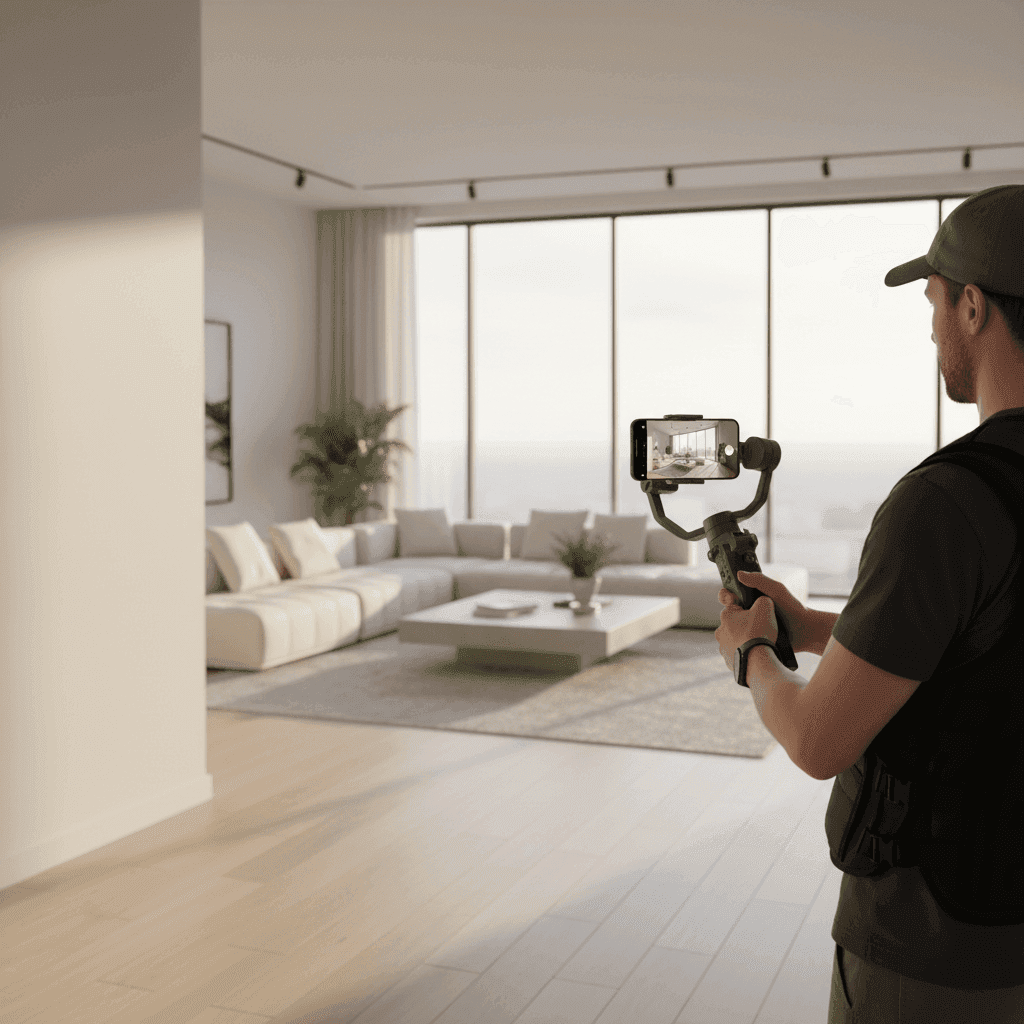
Master the Art of How to Film a Real Estate Walkthrough with Your Phone
You don't need a $1,500 videographer to win attention. Today's buyers expect a fast, scroll-stopping phone video that makes them feel like they're already inside the home.
Many agents try to film a real estate walkthrough with a phone and end up with dark, shaky footage. This doesn't showcase the listing or perform well on social media.
This guide covers the exact phone settings, shot list, lighting tips, and editing flow you need. You'll learn how to turn a simple phone video walkthrough into a polished, high-converting smartphone property tour. We'll also show you time-saving tools and when to upgrade your gear.
The Power of the Smartphone Property Tour
Short-form and mobile-first tours drive attention across Instagram, TikTok, and YouTube Shorts. Buyers scroll through dozens of listings daily. A well-crafted smartphone property tour stops them in their tracks.
For agents, the benefits are clear. You get speed to market, lower costs, and higher content volume. You can shoot and publish the same day a listing goes live.
However, phones have limitations you need to account for. Dynamic range is narrower than professional cameras. Stabilization can struggle with quick movements. Audio quality often needs work.
Use the widest lens indoors and avoid direct shots into wardrobes or mirrors for cleaner compositions. This simple adjustment makes rooms feel more spacious and eliminates distracting reflections.
For agents who want to publish more tours faster, Peachgum offers an alternative approach. The platform turns listing photos into cinematic short-form videos in minutes, providing a low-cost, no-editing solution when time is tight.
Sources:
Picking Your Device: iPhone Listing Video vs Other Smartphones
When you film a real estate walkthrough phone, certain features matter most. Sensor quality affects low-light performance. Wide lens options help capture tight interiors. Stabilization keeps footage smooth. Battery life and storage determine how long you can shoot.
Camera and Lens Essentials
Look for a wide or ultra-wide lens with 0.5-0.6x zoom capability. Tight interiors need this range to show the full room without backing into walls.
Target 4K resolution at 60 frames per second. This gives you flexibility in post-production for smooth slow-motion transitions and stable pans. You can always downscale later, but you can't add resolution.
Current iPhones excel at iphone listing video creation. The ultra-wide lens and computational photography make indoor spaces look their best. Flagship Android phones like Samsung Galaxy and Google Pixel offer similar capabilities.
Sources:
Storage and Battery Planning
Plan for high storage needs. 4K video files are large. Consider phones with 256GB or more, or have a cloud backup plan ready.
Battery drains fast during video recording. Bring a power bank that supports hot-swapping. This lets you charge while shooting without interrupting your workflow.
Stabilization Features to Prioritize
Optical image stabilization works better than electronic for real estate video. The phone physically moves the sensor to counteract shakes.
A gimbal still helps even with good built-in stabilization. It smooths out walking movements and enables more cinematic camera moves.
Practical Recommendations by Budget
Current-generation iPhones offer the best all-around package for real estate use. The ultra-wide lens, stabilization, and video quality justify the cost for active agents.
Samsung Galaxy S series and Google Pixel phones provide similar capabilities at various price points. Focus on wide lens availability and 4K/60 recording capability when comparing options.
If your current phone struggles with video quality, use Peachgum to convert listing photos into polished short-form tours while you plan a device upgrade.
Sources:
Basic Guidelines and Techniques for the Phone Video Walkthrough
A successful phone video walkthrough starts with the right camera settings and shot planning. Small adjustments make a big difference in final quality.
Core Camera Settings for Clean Footage
Shoot in 4K at 60 frames per second. This enables smooth slow-motion transitions and stable pans during editing. Higher frame rates give you more options when adjusting pacing.
Use the ultra-wide lens set to 0.5-0.6x zoom for interior shots. This makes rooms feel more spacious. Avoid mirrors and reflective surfaces that create distracting reflections or show you holding the phone.
Lock your exposure and focus when possible. This prevents the camera from hunting and creating distracting brightness changes as you move through rooms.
Sources:
The Essential Shot List
Start with an exterior approach to establish curb appeal. Follow with an entry reveal that gives the first impression of the interior flow.
Capture the living areas' natural flow. Show how rooms connect and feel lived-in. Highlight kitchen features with close-ups of quality finishes and appliances.
Include the primary suite and bathrooms. Focus on space, light, and luxury details. End with outdoor spaces and your top three "wow" moments that make this property special.
Composition and Movement
Move slowly and deliberately. Quick pans and fast movements look amateur and make viewers dizzy. Lead the eye through doorways to create natural transitions between spaces.
Keep vertical lines straight. Tilted walls and doorframes look sloppy. Use the phone's grid lines to maintain level horizons.
Anchor shots on corners and architectural details for depth. This creates a three-dimensional feel that helps viewers understand the space layout.
Sources:
No source provided.
Advanced Filming Techniques for Standout Real Estate Videos
Moving beyond basic settings requires attention to lighting, movement, and audio. These elements separate amateur videos from professional-looking content.
Lighting That Flatters Spaces
Natural light is your best friend. Schedule shoots when rooms receive the most natural light. This varies by orientation and season, so scout timing in advance.
Turn on all practical lights in the space. Table lamps, overhead fixtures, and accent lighting add warmth and dimension. Balance window exposure by setting exposure for the brightest areas, then let shadows fall naturally.
Supplement with on-phone ring lights or selfie lights when necessary. These small accessories attach directly to your phone and provide consistent fill lighting for darker areas.
Sources:
Stabilization for a Cinematic Feel
Use a gimbal like the DJI Osmo Mobile 6 for the smoothest results. Gimbals eliminate micro-shakes and enable advanced moves like slow reveals and tracking shots.
If shooting handheld, move from your hips with feet planted in a wide stance. This creates a more stable base than arm-only movement. Practice L-shaped movement paths that reveal spaces gradually.
Slow parallax reveals add depth and drama. Move the camera past foreground elements to reveal background features. This technique makes flat spaces feel three-dimensional.
Sources:
Audio and On-Camera Intros
Decide between recording voiceover later versus quick on-camera intros. Live audio often has echo in empty properties. External microphones improve quality but add complexity to your setup.
Keep on-camera segments brief and energetic. Position yourself near soft furnishings or carpeted areas to minimize echo. Practice your talking points to avoid long takes with mistakes.
If you skip voiceover or advanced editing, Peachgum's soundtrack library and visual effects help create cinematic, ready-to-post tours from photos without audio mixing requirements.
Sources:
No source provided.
Editing Your Smartphone Property Tour
Post-production transforms raw footage into engaging content. The key is efficiency without sacrificing quality. When you film listing on phone, editing should enhance what you captured, not fix major problems.
Phone Editing Workflow
Start with basic corrections. Trim clips to remove dead time at the beginning and end. Apply stabilization if your phone or app offers it. Correct exposure and white balance for consistency across all clips.
Add transitions between rooms. Simple cuts work fine, but subtle fades or wipes feel more polished. Include text overlays for key information like price, square footage, and standout features.
Create both vertical and horizontal versions. Vertical works for Instagram Reels, TikTok, and YouTube Shorts. Horizontal fits MLS platforms and YouTube's main feed.
Recommended Apps
Popular mobile editors offer different strengths. Free options like iMovie provide basic tools for trimming and transitions. Paid apps like LumaFusion offer more advanced color correction and effects.
Consider your skill level and time availability. Simple edits often work better than over-produced content for real estate social media.
Pacing and Story Structure
Hook viewers in the first three seconds. Start with the most impressive room or exterior shot. Use quick cuts of 1-2 seconds per shot for short-form content.
Linger longer on hero features. Kitchen islands, master suites, and outdoor entertaining areas deserve more screen time. These elements often drive buying decisions.
Maintain your 4K/60 source files throughout editing. This enables speed ramps and slow-motion transitions without quality loss during export.
When you're short on time, export listing photos straight into a vertical short with Peachgum's effects and music. No editing skills required.
Sources:
Publishing Your Phone Video Walkthrough
Distribution strategy determines how many potential buyers see your smartphone property tour. Each platform has specific requirements and audience behaviors.
Platform Fit and Specs
Instagram Reels, TikTok, and YouTube Shorts favor vertical format with quick hooks and strong captions. Keep content under 60 seconds for maximum reach. Use trending audio when appropriate.
Include compelling captions that provide context. Mention neighborhood, price range, and key features. Ask questions to encourage engagement and comments.
SEO and Metadata
Optimize titles with location keywords and property type. "Modern Downtown Condo Tour" performs better than "New Listing Video." Include neighborhood names that buyers search for.
Use relevant hashtags but don't overdo it. Mix popular tags like #realestate with specific ones like #downtowncondo or #waterfront. Geographic tags help local discovery.
Add geotags when possible. This helps buyers searching specific areas find your content organically.
Thumbnails and First Frames
Lead with the hero angle that shows the property's best feature. Wide interior shots that convey space work well for thumbnails.
Include price and neighborhood overlay text on the first frame. Buyers want this information immediately to determine if they should keep watching.
Use wide or ultra-wide interior shots for thumbnails and opening frames. This conveys space effectively and draws clicks from buyers browsing listings.
Peachgum exports ready-to-post vertical videos ideal for Reels, TikTok, and Shorts. This helps you publish consistently without needing videographer skills.
Sources:
Mini-Templates and Checklists for a Faster Shoot
Streamlined workflows help you film consistently without missing key shots. Templates adapt to different property types and time constraints.
30-Minute Condo Walkthrough Plan:
- Exterior/building approach (2 minutes)
- Entry and living space flow (8 minutes)
- Kitchen details and storage (6 minutes)
- Bedroom(s) and bathroom(s) (8 minutes)
- Balcony/outdoor space (4 minutes)
- Review footage and reshoot (2 minutes)
60-Minute Single-Family Plan:
- Exterior and landscaping (8 minutes)
- Entry and main living areas (15 minutes)
- Kitchen and dining (10 minutes)
- Primary suite and bath (12 minutes)
- Additional bedrooms/baths (10 minutes)
- Outdoor spaces and special features (5 minutes)
Pre-Shoot Checklist:
- Declutter all surfaces and floors
- Turn on all lights, open blinds
- Close toilet seats, straighten towels
- Stage doors open for flow
- Clean mirrors and glass surfaces
On-Shoot Checklist:
- Verify 4K/60fps settings
- Select ultra-wide lens for interiors
- Test exposure in different rooms
- Clean phone lens frequently
- Check gimbal balance if using
Post-Shoot Checklist:
- Review best takes immediately
- Plan edit passes and pacing
- Write captions with keywords
- Select cover image/thumbnail
Sources:
No source provided.
Frequently Asked Questions
What are common mistakes to avoid when filming a walkthrough?
The biggest mistakes include shooting into mirrors, moving too fast, mixing color temperatures, and handheld wobble. Use the ultra-wide lens and avoid reflective surfaces that create distractions. Move slowly and deliberately to let viewers absorb each space.
How long should my video be?
Keep short-form content between 30-60 seconds for maximum social media reach. Full tours can run 1.5-3 minutes on platforms like YouTube. Shoot in 4K at 60fps to maintain flexibility when adjusting pacing during editing.
How can I ensure the video shows up in search results?
Use local keywords and neighborhood names in titles and descriptions. Include terms like "tour," "walkthrough," and property type. Create a strong first frame and use relevant tags. Consistent posting with geographic hashtags helps local discovery.
Do I need a gimbal to start?
No, but it helps significantly. You can achieve steady footage by moving from your hips with a wide stance rather than using only your arms. Practice smooth movements and avoid quick pans until you develop muscle memory.
What phone settings should I start with?
Begin with 4K recording at 60 frames per second. Use the ultra-wide lens (0.5-0.6x) for interior shots. Lock exposure and focus when possible to prevent hunting. Always clean your lens before shooting.
Sources:
Your Path to Professional Phone Videos Starts Today
The path to compelling phone video walkthroughs is straightforward. Choose the right device settings, plan your shot list, use natural light, stabilize your movement, and keep edits tight. This formula creates clean, compelling content that converts viewers into prospects.
Experiment with different techniques to develop a signature style for each listing type and platform. Some properties shine with quick, energetic pacing. Others benefit from slower, more contemplative reveals.
Consistency matters more than perfection. Regular content creation builds your brand and keeps you top-of-mind with potential clients. Every video improves your skills and confidence.
When speed and quantity matter, let Peachgum turn your listing photos into cinematic short-form videos. This ensures you can market every property consistently, even when time or budget constraints limit traditional video production.
Download our "Film a Real Estate Walkthrough on Your Phone" checklist and shot list to get started immediately. Try Peachgum to transform listing photos into ready-to-post short-form videos in minutes when you're tight on time or budget.


