Google Business Profile Video Realtor Guide To Local SEO

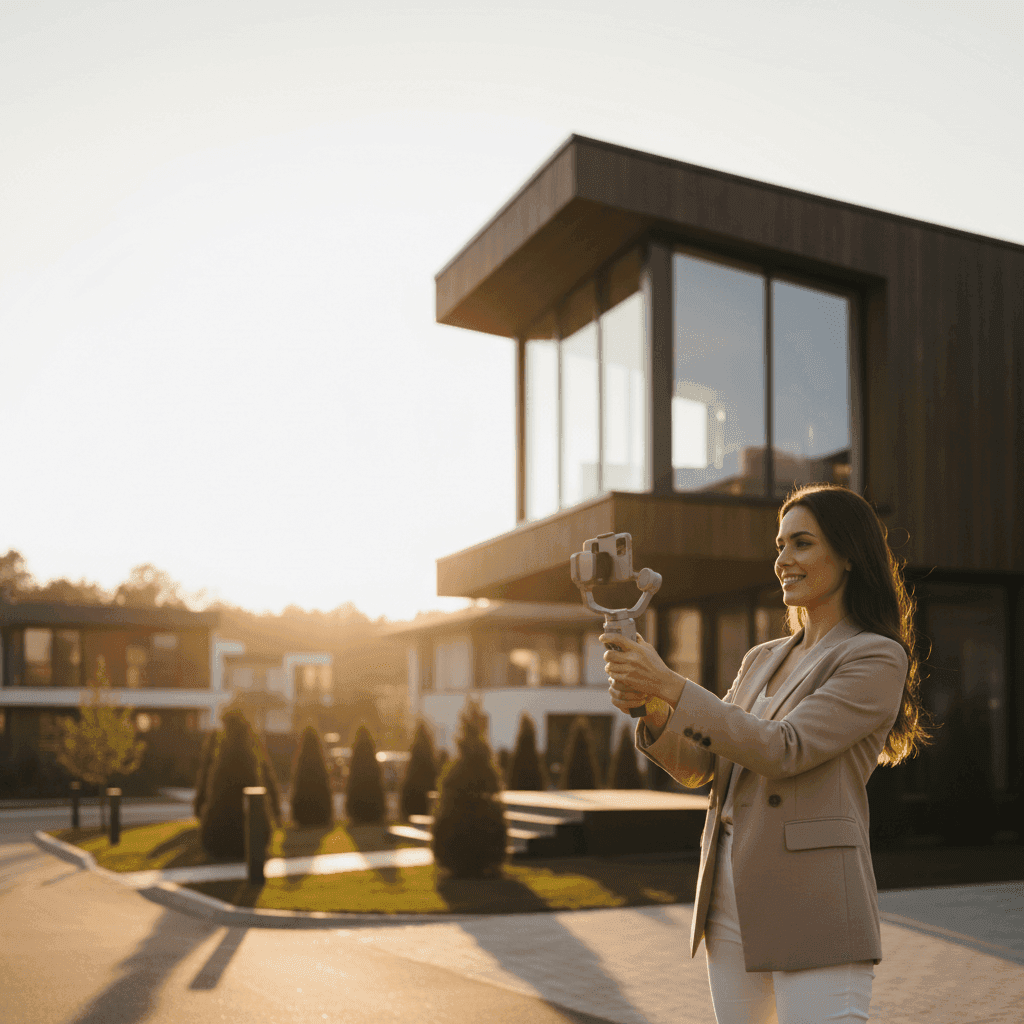
Google Business Profile Video Realtor: The Ultimate Guide to Video SEO and Distribution
Your next buyer is likely searching "homes near me" right now. If your profile shows only photos while a competitor features a compelling video clip, who gets the call?
Most realtors underuse Google Business Profile and miss the reach and trust signals that come with consistent video content. While photos can showcase a property, video builds the connection that turns browsers into buyers and creates the local visibility that drives phone calls.
This guide shows exactly how a google business profile video realtor strategy works. You'll learn what to post, how to upload it properly, optimize for local search, and distribute content for maximum impact across all your channels.
Here's what you'll discover:
- What Google Business Profile is and why it matters to agents
- How to create and upload video to GBP step-by-step
- How to optimize videos for local search visibility
- Smart distribution tactics to multiply reach across channels
Every strategy follows Google's current video guidelines and requirements to ensure your content performs while staying compliant.
Sources: Google Business Profile Help
What Is Google Business Profile (GBP) and Why It Matters to Agents
Google Business Profile is your free business listing that appears when people search for real estate services in your area. It shows up in Google Search results and Google Maps, displaying your contact information, reviews, photos, and videos right where potential clients are looking.
For real estate agents, GBP is critical for local visibility. When someone searches "realtor near me" or "homes for sale in [your city]," your profile can appear at the top of results. This prime placement drives qualified calls, directions to your office, and website visits from people actively looking to buy or sell.
Videos on your GBP complement photos and posts by showing movement, personality, and property features in action. They appear prominently in your profile media section and can showcase everything from listing highlights to your personal brand story.
The key outcome is better search engine real estate, more qualified phone calls, and proof that you're an active, professional agent worth contacting. Videos help you stand out when potential clients are comparing multiple agents in their area.
Sources: Google Business Profile Help
Why Video Works in Real Estate Marketing
Video builds trust faster than photos alone by showing properties, neighborhoods, and your professional personality in motion. Buyers want to see curb appeal, key features, natural light, and neighborhood vibe before scheduling a showing.
The most effective real estate videos focus on what matters to buyers. Quick exterior shots establish curb appeal and neighborhood context. Interior highlights in 30-45 seconds showcase flow, space, and standout features. Agent introduction videos build credibility and personal connection.
Practical video formats that consistently perform include:
- Quick exterior walk-up showing curb appeal and neighborhood feel
- 30-45 second interior highlights focusing on best features
- Agent intro or brand trailer establishing credibility and personality
- Neighborhood tours highlighting schools, shopping, and amenities
Quality standards matter for professional results. Keep footage steady, ensure clear subjects, and always include captions for silent viewing. Most people watch social videos without sound, so captions are essential for engagement.
The recommended quality bar includes 720p resolution or higher, steady camera work, good lighting, and captions for accessibility. File sizes should stay reasonable for quick loading across devices.
When you need consistent video content without hiring a videographer, Peachgum turns listing photos into short-form, cinematic videos for social media. It's faster and more cost-effective than traditional video production while maintaining professional quality.
Sources: Local SEO Hustlers
Google Business Profile Video Realtor: How It Works and Where to Use It
The key difference between GBP video content and social media video lies in purpose and format. GBP videos should be quick, clear property or brand clips that serve local searchers. Social media videos can be highly edited, cinematic short-form content optimized for engagement and shares.
Videos appear prominently in your GBP media section and should align with local searcher intent. When someone searches "homes near me" or "best agent in [city]," your video content should immediately communicate value and expertise.
Effective content mapping looks like this:
- GBP: "New listing at [address] - top 3 features" in 30-45 seconds
- GBP: "Open house this weekend - what to expect"
- Social: 9:16 cinematic teasers and before/after transformations
Your GBP videos serve as the professional, compliant foundation while social videos drive engagement and brand awareness. Both should work together to reinforce your local expertise and current listings.
Sources: Google Business Profile Help
GBP Video for Real Estate: Tactics That Work
Creating effective gbp video real estate content starts with proven script frameworks. Open with a strong hook mentioning the address or neighborhood, stack the top three features quickly, and end with a clear call to action.
Sample script outline:
- Hook: "New listing in [desirable neighborhood] - here's why it won't last"
- Feature stack: "Three-bedroom, two-bath with updated kitchen, private backyard, and walk to schools"
- CTA: "Call [phone number] to schedule your showing today"
For small spaces and condos, focus shot lists on maximizing perceived space. Show natural light, storage solutions, and unique features that differentiate the property. Wide-angle shots work well but avoid distortion that makes spaces look unnatural.
Accessibility remains crucial for all GBP content. Always include captions for silent viewers, speak clearly, and ensure text overlays are readable on mobile devices. Many users browse GBP listings during their commute or in quiet environments where audio isn't practical.
Sources: Local SEO Hustlers
Google Business Profile Video Realtor: Upload and Specs
Before uploading any video to GBP, verify it meets current requirements for relevance, clarity, local keywords, and compliance with Google's guidelines. Videos must be at least 30 seconds long, unedited, unique, and complete with no breaks or interruptions.
All GBP videos must be recorded and uploaded directly from a mobile device according to Google's current policies. This ensures authenticity and prevents heavily edited content that might not represent actual business operations.
Sources: Google Business Profile Help
Uploading Video to Google Business Profile
The upload video google business profile process is straightforward when you follow these steps:
- Open Google Maps or Google Search and navigate to your Business Profile
- Tap "Add photo" or "Add video" and select your video file
- Add a concise, keyword-rich description including neighborhood and property type
- Publish and verify the video displays correctly on your profile
Always test how your video appears on both mobile and desktop views. The description should include natural local keywords like neighborhood names, property types, and key features without keyword stuffing.
Double-check that your video meets length requirements and displays properly before going live. Once published, monitor engagement and adjust future content based on what resonates with your local audience.
Sources: Google Business Profile Help
Preferred Formats and Specifications for GBP
Target at least 720p resolution for professional quality while keeping file sizes manageable. The recommended maximum file size is 75MB to ensure quick loading across all devices and connection speeds.
Camera stability is essential for professional appearance. Use both hands, brace against stable surfaces, or invest in a simple phone stabilizer. Compose shots with adequate lighting and avoid extreme backlighting that obscures subjects.
Include captions for accessibility and better engagement. Many users browse with sound off, especially in public spaces or work environments. Captions also provide additional text for search engines to understand your content context.
Meeting Google's requirements for originality and completeness means showing real properties, actual business operations, and authentic interactions. Heavily staged or promotional content may not comply with current guidelines.
For social-first distribution, create cinematic shorts from listing photos with Peachgum. Then publish clear, policy-compliant property or brand clips on GBP alongside your social content for maximum reach.
Sources: Local SEO Hustlers
Optimizing GBP Video Content for Local SEO
Local optimization matters because Google ranks GBP content based on searcher proximity, relevance, and business prominence. Your videos should signal strong local connections and expertise in your specific market area.
File naming conventions should include city, neighborhood, and property type before uploading. For example: "downtown-seattle-condo-tour-2024.mp4" provides more context than generic file names like "video1.mp4".
Video descriptions need natural local keywords without stuffing. Reference specific schools, districts, landmarks, and neighborhood amenities that matter to local buyers. Maintain consistent Name, Address, Phone (NAP) information across your profile and website.
Captions serve dual purposes: accessibility for users and keyword reinforcement for search engines. Include location-specific terms, property features, and calls to action within your caption text.
Sources: Local SEO Hustlers
Local SEO Video for Real Estate: Tips and Tricks
Effective local seo video real estate content leads with address or area information immediately. Start videos with "Located in [specific neighborhood]" or "Just listed at [street name]" to establish geographic relevance from the first seconds.
Show top property features quickly and include clear calls to action. End with specific next steps like "Call [phone number]," "Visit [website]," or "Get directions to our office." Make it easy for interested viewers to take immediate action.
Avoid common mistakes that hurt performance. Shaky footage looks unprofessional, vague titles reduce discoverability, and keyword stuffing triggers penalties. Focus on natural, helpful content that serves your local audience.
Strengthen relevance signals through consistent messaging. Use geotargeted descriptors, select appropriate business categories, and update content frequently. Regular posting signals an active, engaged business worth ranking higher in local results.
Always verify compliance with current guidelines before publishing. Google's policies evolve, so check the official help center regularly to ensure your content strategy remains compliant and effective.
Use Peachgum to generate multiple short teasers per listing for Instagram, TikTok, and YouTube Shorts. Link back to your GBP and website to reinforce brand searches and drive cross-platform engagement.
Sources: Google Business Profile Help
Distributing GBP Video Content for Maximum Reach
Distribution multiplies your return on investment by using one video shoot across multiple high-value placements. Smart agents create once and distribute strategically to maximize visibility and lead generation.
Core distribution channels include your GBP for local search visibility, website listing pages for SEO value, and social media platforms for engagement and retargeting. Email marketing with video thumbnails drives repeat engagement from your database.
Optimize content for each channel's unique requirements:
- GBP: Keep it succinct, hyper-relevant, and locally descriptive
- Reels/TikTok/Shorts: Use vertical format, fast-paced editing, and branded captions
- YouTube Shorts: Focus on hooks and hashtag strategy for discovery
Cross-platform consistency builds brand recognition while platform-specific optimization maximizes performance on each channel. Your core message stays the same while presentation adapts to platform norms and user expectations.
Sources: Google Business Profile Help
Google My Business Video Agent: Your Ally in Distribution
A google my business video agent represents the person or system ensuring your video content gets posted correctly, consistently, and compliantly across all relevant channels. This role requires understanding GBP guidelines alongside social media best practices.
When choosing support for video distribution, prioritize consistency, platform knowledge, and compliance understanding. Look for experience with GBP requirements, social-native editing skills, and systematic approaches to content calendaring.
Key responsibilities include content calendar management, cross-platform posting, performance monitoring, and guideline compliance. The goal is sustainable, scalable video marketing that drives measurable results without overwhelming your schedule.
Successful distribution requires balancing platform-specific optimization with brand consistency. Your core message and professional standards should remain constant while presentation adapts to each channel's unique format and audience expectations.
When you need steady video content without constant videographer costs, Peachgum transforms listing photos into ready-to-post Reels, TikToks, and Shorts in minutes. This supports consistent distribution across all channels while maintaining professional quality standards.
Sources: Google Business Profile Help
Why Now Is the Right Time to Master GBP Video Strategy
A google business profile video realtor strategy delivers measurable improvements in local visibility, engagement rates, and qualified lead generation. Video content consistently outperforms static images for attention, trust-building, and conversion across all real estate marketing channels.
Your immediate action plan starts today: record one property highlight video, upload it to your GBP with local descriptors and captions, then repurpose versions for social media distribution. This systematic approach builds momentum while establishing professional video habits.
Success requires consistent execution of proven strategies. Focus on quality over quantity, maintain compliance with platform guidelines, and track performance metrics to refine your approach over time.
Always verify current upload and quality requirements before posting new content. Platform policies evolve regularly, so bookmark Google's help center and check for updates that might affect your video strategy.
If time or budget constraints limit your video production capacity, try Peachgum to transform listing photos into cinematic short-form content. This complements your GBP clips while fueling consistent social media distribution without traditional production costs.
Sources: Google Business Profile Help


